Productivity
Best AI-Powered Business Intelligence Tools for SaaS Companies (November 2025)
Compare the best AI-powered business intelligence tools for SaaS companies in November 2025. Get instant insights with natural language queries and real-time data.

The days of waiting on data analysts for every business question are behind us. Your SaaS team moves fast, but traditional BI doesn't. Product needs cohort analysis, sales wants pipeline metrics, and customer success is tracking usage patterns. When every answer requires SQL and schema knowledge, decisions pile up in a queue. AI data analysis tools let non-technical teams analyze data directly by asking questions in plain English and getting instant results.
TLDR:
AI-powered BI tools let non-technical teams ask questions in plain English and get charts in seconds without SQL or analyst queues
Index delivers instant query results with real-time collaboration and connects directly to SaaS apps like Stripe and Salesforce
Traditional tools like Tableau and Looker require months of setup and technical expertise that slows decision cycles
SaaS teams with 20-500 employees get fastest value from tools with transparent pricing and conversational AI interfaces
Index offers white-labeled customer dashboards and setup in minutes versus weeks or months for legacy BI platforms
What are AI-Powered Business Intelligence Tools?
AI-powered BI tools use machine learning to interpret questions and generate analysis without manual query writing. Users type questions in plain English and get back charts, tables, or metrics in seconds.
Traditional BI requires SQL knowledge, table schemas, and dashboard configuration. AI tools handle that translation layer automatically, mapping natural language to the right data operations.
For SaaS companies, this matters because analytical questions surface constantly. Product managers need cohort retention. RevOps teams want pipeline velocity. Customer success needs usage patterns by segment. When every question requires a data analyst, decision cycles slow and backlogs pile up.
AI BI tools let non-technical teams analyze into data without waiting in queue.
How We Ranked AI-Powered Business Intelligence Tools
We tested each tool against five criteria that matter most for SaaS teams running lean data operations.
Natural Language Query Quality
How accurately does the tool interpret business questions and return relevant results? We tested each with common SaaS queries like "show me 30-day retention by cohort" and "compare MRR growth month-over-month." The best tools understood context, handled follow-up questions, and generated correct visualizations on the first try.
SaaS Data Source Coverage
Can the tool connect directly to your existing stack? We focused on tools that integrate with cloud warehouses (Snowflake, BigQuery, Redshift) plus SaaS applications like Stripe, Salesforce, and PostHog. Fewer integrations mean more manual ETL work.
Implementation Speed
How long until your team gets value? We measured setup time, learning curve for non-technical users, and whether the tool required dedicated BI developers. With the global AI SaaS market exceeding $101.7 billion in 2025, speed to insight matters.
Query Performance
We tested dashboard load times and ad-hoc query response on realistic data volumes. Slow tools kill adoption.
Pricing Structure
We compared seat-based pricing, contract minimums, and cost scaling as teams grow from 10 to 100 users.
Best Overall AI-Powered Business Intelligence Tool: Index
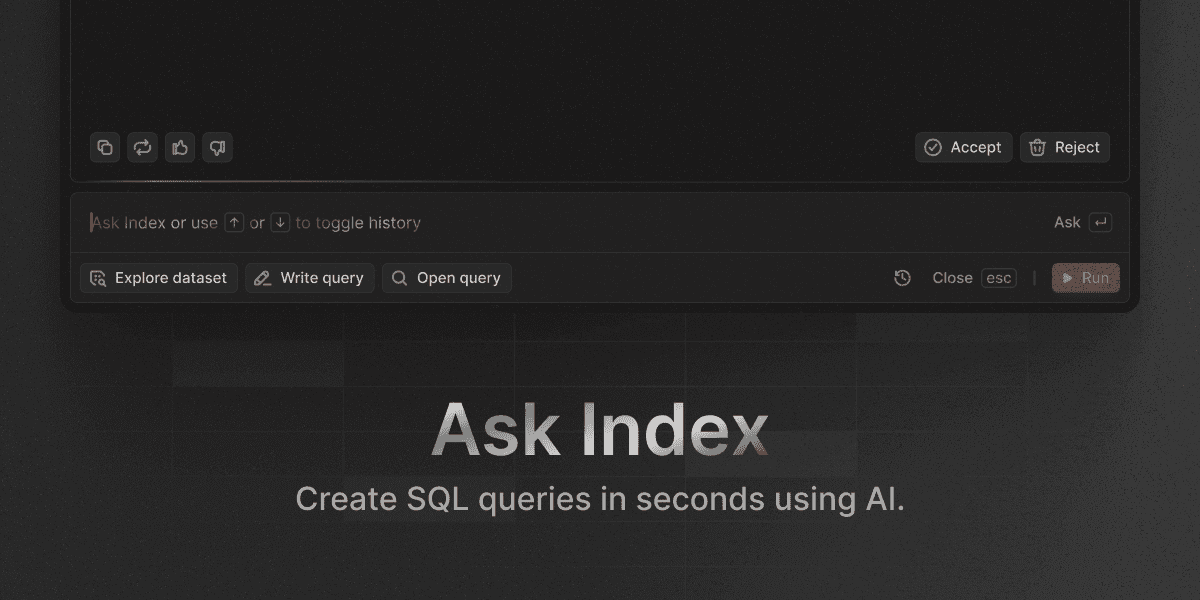
Index connects to your data warehouse and lets anyone ask questions in plain English.
You get charts and tables back in seconds without writing SQL or waiting on analysts.
The AI query engine handles follow-up questions naturally, understanding data terminology without requiring technical knowledge.
Ask "show me monthly active users," then "break that down by signup cohort," then "filter to enterprise accounts." Each refinement builds on the last without restarting the conversation.
What Makes Index Different
The query engine delivers results instantly, even on large datasets. Teams iterate through five questions in the time legacy tools take to load one dashboard.
Real-time collaboration means your product manager, RevOps lead, and CEO can analyze into the same data simultaneously. Everyone sees updates live, can drop comments, and refines analysis together without passing static screenshots back and forth.
Index connects directly to SaaS applications like Stripe, Salesforce, HubSpot, and PostHog alongside your warehouse. That unified view lets you integrate product usage with revenue data or sales pipeline without building ETL pipelines first.
For SaaS companies serving their own customers, Index includes white-labeled dashboards you can embed in your product. Deliver live analytics to clients under your brand without extra engineering work.
Tableau
Tableau remains a market leader in data visualization with extensive charting capabilities and broad enterprise adoption across industries.
What They Offer
Tableau provides visualization tools and a desktop authoring environment for complex dashboard development. The ecosystem includes thousands of third-party connectors and a large community sharing templates. Advanced analytics features support statistical modeling and forecasting workflows.
Good for organizations with dedicated BI developers who need sophisticated visualization capabilities and have time for extensive dashboard creation.
The limitation: Tableau requires technical expertise for setup and maintenance, with most functionality locked behind desktop software that demands specialized training. Implementation typically spans months instead of weeks, making it impractical for fast-moving SaaS teams needing immediate insights.
Microsoft Power BI
Microsoft Power BI connects directly to Office 365 and Azure, making it a natural fit for organizations already running Microsoft infrastructure.
What They Offer
Power BI includes native connections to Excel, Teams, and SharePoint, with support for both cloud and on-premises deployment. Per-user licensing keeps costs predictable as headcount grows. The interface mirrors other Microsoft products, which shortens onboarding time for teams already familiar with Office.
Basic natural language query features allow non-technical users to ask simple questions of their data without writing SQL or DAX formulas.
Best suited for companies deeply embedded in Microsoft ecosystems who need BI functionality woven into existing Office workflows.
The tradeoff: Power BI's AI features lag behind purpose-built alternatives. Dashboard creation still requires manual configuration, and the natural language experience feels basic compared to AI-first tools. Complex data relationships demand extensive modeling work upfront, and SaaS-specific connectors often require custom development.
Power BI works well for Microsoft-centric organizations but lacks the AI depth and SaaS-native features that faster-moving teams need for self-service analysis.
Looker
Looker uses a semantic modeling layer through LookML that enforces consistent metric definitions across teams.
What They Offer
LookML is a modeling language that centralizes business logic. Data teams define metrics once, and everyone queries the same definitions. This governance solves the problem of conflicting revenue numbers across dashboards.
Role-based permissions control data access at granular levels. Embedded analytics let you build customer-facing applications. Integration with Google Cloud services runs deep for teams in that ecosystem.
Best for organizations with strong data engineering teams who need centralized metric definitions and can invest time in LookML development.
The tradeoff: LookML requires SQL and data modeling knowledge. Dependency on Google Cloud may limit teams using AWS or Azure. The learning curve creates bottlenecks when non-technical users need quick answers.
Looker delivers governance and consistency but requires technical investment that can slow insight generation for agile SaaS teams.
ThoughtSpot
ThoughtSpot offers search-driven analytics where users type keywords to query data, similar to Google search.
What They Offer
The search interface returns charts and metrics based on keyword matching against indexed datasets. An in-memory calculation engine processes queries quickly once data is indexed. The system surfaces anomalies and trends automatically. Mobile apps provide access across devices.
Works well for teams comfortable with search-style interactions and companies running structured data warehouses that support keyword-based queries.
The tradeoff: search depends on pre-indexed data and rigid schemas, which limits flexibility when working with varied SaaS data sources. Keyword matching struggles with complex business questions that require context beyond simple term lookup.
Sigma Computing
Sigma Computing connects spreadsheet interfaces directly to cloud data warehouses, letting teams analyze Snowflake, BigQuery, or Databricks data using familiar grid mechanics.
What They Offer
The interface works like Excel but queries your warehouse in real time. Users build pivot tables, write formulas, and create charts without extracting data or scheduling refreshes. Workbooks support live collaboration across team members.
Best for Excel power users running ad-hoc analysis on large warehouse datasets.
The tradeoff: spreadsheet grids don't scale well for SaaS metrics that need automated dashboards or automated tracking. Sigma doesn't include AI-assisted querying, so every formula and pivot requires manual construction. Cohort analysis and funnel tracking take the same manual effort as traditional spreadsheets.
Sigma works for teams who think in cells and formulas but won't help non-technical users query data independently.
Domo
Domo offers cloud-based BI with mobile-first dashboards and hundreds of pre-built connectors for third-party data sources.
What They Offer
Cloud-native architecture processes data in real time without on-premises infrastructure. Pre-built connectors span business applications, databases, and cloud storage. Embedded analytics let companies build customer-facing reports into their products. Mobile apps focus on phone and tablet access for executives tracking metrics on the go.
Best for enterprises running complex integration requirements across many data sources who need executive-level mobile dashboards.
The tradeoff: enterprise pricing lacks transparency, with costs scaling unpredictably as usage grows. Feature bloat creates a steep learning curve, and AI query capabilities remain limited compared to purpose-built alternatives.
Domo works for large organizations with dedicated BI teams but adds unnecessary complexity for SaaS companies needing fast, AI-driven self-service analytics.
Feature Comparison Table of AI-Powered Business Intelligence Tools
Feature | Index | Tableau | Power BI | Looker | ThoughtSpot | Sigma | Domo |
|---|---|---|---|---|---|---|---|
Natural Language Queries | ✅ Conversational AI | ❌ Limited | ✅ Basic NLQ | ❌ No | ✅ Search-based | ❌ No | ❌ Limited |
SaaS Data Connectors | ✅ Prebuilt | ✅ Third-party | ✅ Some built-in | ✅ Custom | ✅ Various | ✅ Cloud warehouses | ✅ Extensive |
Setup Time | ✅ Minutes | ❌ Months | ⚠️ Weeks | ❌ Months | ⚠️ Weeks | ⚠️ Weeks | ❌ Months |
Real-time Collaboration | ✅ Built-in | ❌ Limited | ⚠️ Basic | ⚠️ Basic | ⚠️ Basic | ✅ Yes | ⚠️ Basic |
Customer-facing Dashboards | ✅ White-labeled | ❌ Complex setup | ⚠️ Available | ✅ Embedded | ❌ Limited | ❌ No | ✅ Available |
Pricing Model | ✅ Transparent | ❌ Complex | ✅ Per-user | ❌ Custom | ❌ Custom | ❌ Custom | ❌ Enterprise |
SaaS teams needing fast deployment and conversational interfaces benefit from tools with transparent pricing and prebuilt connectors. Legacy BI solutions offer depth but require technical resources that extend time to first insight.
Why Index is the Best AI-Powered Business Intelligence Tool
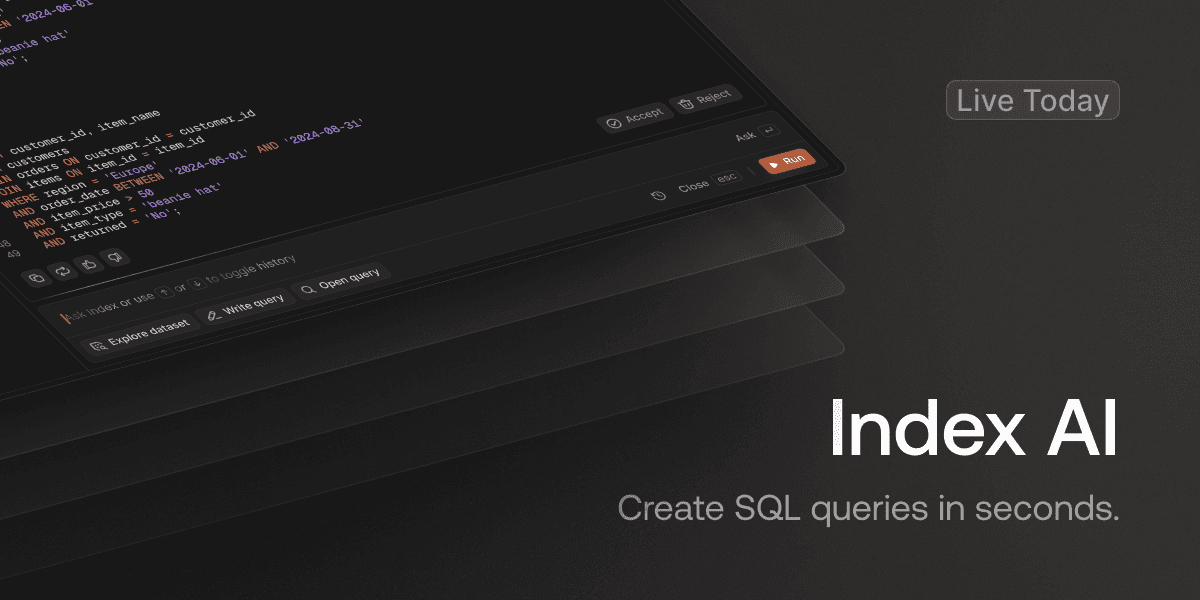
The Business Intelligence market reaching $38.15 billion in 2025 reflects surging demand for analytics tools. With 80-85% of SaaS companies implementing AI, the question isn't whether to adopt AI BI but which tool fits your workflow.
Index works for SaaS teams because it removes the tradeoffs. You get conversational AI that makes data analysis accessible without sacrificing performance or requiring months of implementation. While AI systems reduce analysis time by 40% in enterprise settings, Index delivers those gains from day one.
We built Index for teams who need answers now, not next quarter. That focus on speed, simplicity, and self-service makes it the right choice for SaaS companies moving faster than legacy BI can support.
Final thoughts on AI-powered business intelligence
Your business intelligence for SaaS should accelerate decisions, not add another dependency. When every analysis requires SQL knowledge or analyst availability, teams stop asking questions and start guessing. AI removes that friction by translating plain English into the right data operations automatically. Choose tools that deliver answers in seconds, connect to your existing stack, and let everyone analyze data without technical gatekeepers.
FAQ
What is AI-powered business intelligence and how does it differ from traditional BI?
AI-powered BI translates plain English questions into charts and metrics automatically, while traditional BI requires SQL knowledge, schema understanding, and manual dashboard configuration. With this non-technical teams can analyze data independently instead of waiting in analyst queues.
How long does it take to implement an AI BI tool for a SaaS company?
Implementation time varies widely by tool. AI-first platforms can connect to your data warehouse in minutes and deliver first insights the same day, while legacy BI tools typically require weeks to months of setup, schema modeling, and dashboard configuration before teams see value.
What data sources should an AI BI tool support for SaaS analytics?
Look for direct connections to cloud warehouses (Snowflake, BigQuery, Redshift) plus native integrations with SaaS applications like Stripe for payments, Salesforce or HubSpot for CRM data, and product analytics tools like PostHog. Fewer prebuilt connectors mean more manual ETL work for your team.
When should a SaaS company switch from spreadsheets to an AI BI tool?
Consider switching when your team asks recurring analytical questions (cohort retention, funnel conversion, pipeline velocity) that require manual data pulls, or when non-technical stakeholders wait days for analysts to answer questions they could analyze themselves with the right interface.
Can AI BI tools handle complex SaaS metrics like cohort retention and MRR analysis?
Yes, but quality varies. The best AI BI tools understand context in follow-up questions and come with prebuilt SaaS metric templates for retention cohorts, recurring revenue, and pipeline tracking, while basic natural language features struggle with multi-step analysis that requires business context beyond simple keyword matching.